Okta Verify
Productivity- Category Productivity
- Size 65.47 MB
- Requirements Android 4.4 and up
- Downloads 900,000,000+
- Package Name com.okta.android.auth
- Content Rating Everyone
About Okta Verify Feature
Okta Verify is a mobile application designed to provide secure and convenient multi-factor authentication (MFA) for accessing work-related applications and data. It enhances login security by requiring a second form of verification beyond just a password, protecting user accounts from unauthorized access. The app is a core component of the broader Okta Identity Cloud platform, which manages user identities and access controls for organizations. By generating time-based one-time passcodes or sending push notifications for approval, Okta Verify ensures that only authorized individuals can connect to corporate resources, making it an essential tool for modern enterprise security.
Chapter 1: Function
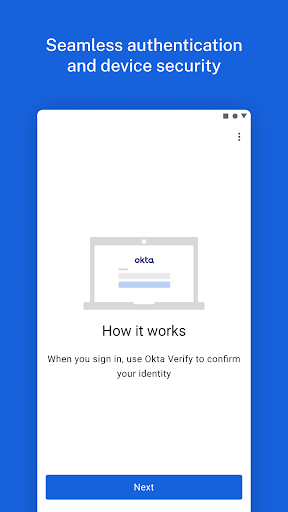
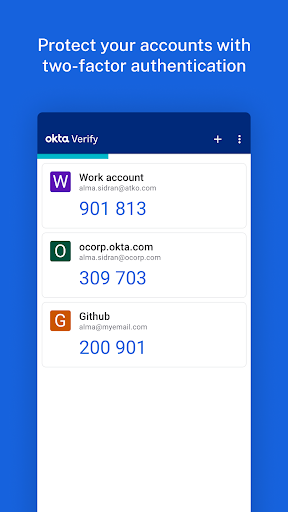
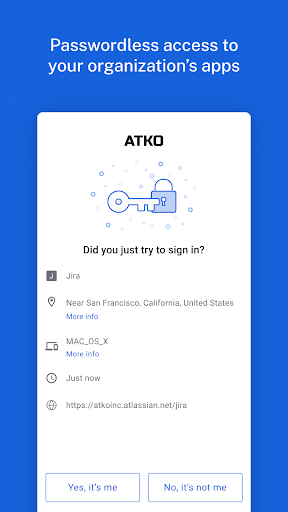
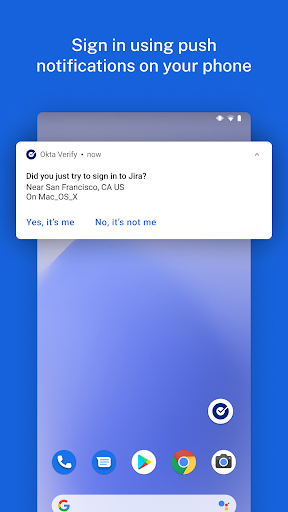
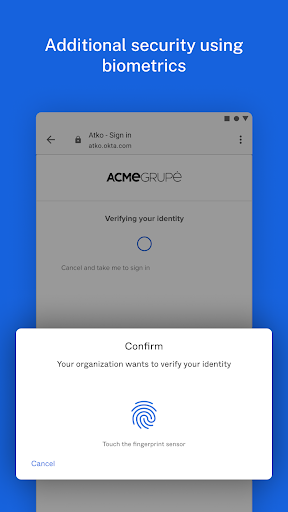
Okta Verify functions as a robust multi-factor authentication tool on a user's smartphone. Its core operation involves generating time-based one-time passcodes (TOTP) that refresh every 30 seconds, which users must enter after their password during login. Alternatively, it can receive push notifications from the Okta service; when a login attempt is detected, a notification is sent to the user's phone, and they can simply tap 'Approve' or 'Deny' to authenticate. For environments requiring higher security, the app can also perform biometric verification using the device's fingerprint or facial recognition scanner before approving a push. It securely stores and manages the user's account credentials, eliminating the need for separate hardware tokens. The setup process is straightforward, typically involving scanning a QR code provided by an organization's IT administrator to link the app to the user's account.
Chapter 2: Value
The primary value of Okta Verify lies in its significant enhancement of account security without sacrificing user convenience. By enforcing multi-factor authentication, it effectively mitigates the risks associated with stolen or weak passwords, a leading cause of data breaches. This protection is crucial for safeguarding sensitive corporate information, intellectual property, and personal data. For the end-user, the app simplifies the login experience. The push notification method is far more convenient than manually typing codes from SMS or hardware tokens, reducing friction and saving time. For IT administrators and organizations, Okta Verify provides a centralized and manageable security solution. It integrates seamlessly with thousands of cloud and on-premises applications through the Okta Integration Network, allowing for consistent security policy enforcement across the entire digital ecosystem. This reduces the burden on help desks for password resets and lowers the overall risk profile of the organization. Its adaptive security features can also be configured to require additional verification only in risky situations, striking an optimal balance between security and usability. Ultimately, Okta Verify delivers enterprise-grade security in a user-friendly package, fostering a more secure and productive work environment.
Chapter 3: Scenarios
Okta Verify is primarily targeted at employees, contractors, and students within organizations that use the Okta identity platform. It is indispensable for remote workers and mobile professionals who need to access company resources like email, internal networks, and SaaS applications (e.g., Salesforce, Workday, Microsoft 365) from outside the office firewall. In daily use, an employee working from home would open their laptop to check email. After entering their password, they receive a push notification on their phone. A single tap approves the login, granting immediate access. A financial officer attempting to access a sensitive payroll system might be required to both approve a push and scan their fingerprint, adding a critical extra layer of security for high-value transactions. University students use it to log into campus portals to register for classes or view grades, protecting their academic records. In all these scenarios, Okta Verify acts as a personal security key, ensuring that access to critical systems is granted only to the legitimate account holder, regardless of their location or device.